Did you know that fixing a website design error during development can cost up to 100 times more than fixing it early in the design stage?
Building a website without a visual plan is a highly expensive error. Many business owners in Abu Dhabi skip the visual planning stage entirely. They jump from a basic idea straight into writing code. Later, they find out that the site structure does not work.
Using a high-quality website mockup protects your brand. This step gives you a realistic, static view of your site layout before any code is written. It helps you find and fix major website design mistakes early.
Following a clear website design process keeps your team aligned. It saves your budget and keeps your project on track. Let us look at how mockups protect your money and help your business grow.
What is a Website Mockup and Why Does It Matter?
A website mockup is a static, realistic model of your future website pages. Unlike a simple sketch, the website mockup process shows your exact brand colors, text styles, and spacing. It shows you exactly what your site will look like.
- Exact Visuals: It displays your final logos, images, and brand elements together.
- Clear Reviews: It helps business owners and designers agree on the visual style.
- Saves Coding Time: It allows you to approve the look before developers start writing code.
How a Website Mockup Prevents Costly Website Design Mistakes
Designing a website without a visual model often leads to major errors. A website mockup helps you catch these layout issues before they require expensive technical fixes.
Visual Clutter and Hard-to-Read Text
Without a mockup, it is easy to pack too much text into tight spaces. Mockups let you see how your fonts and background colors work together. You can easily adjust line spacing to make your pages easy to read.
Wrong Brand Representation
Colors on screen often look different from what you expect. A mockup displays your official colors and logo together. This helps you make sure your site looks professional and fits your actual brand style.
Hard-to-Find Action Buttons
Potential buyers could get lost on the site if your “Buy Now” and/or “Sign Up” buttons aren’t eye-catching enough. That would mean losing customers. A mockup will allow you to test positioning and different colors for the buttons.
Understanding the Website Design Process Stages
To build a great website, your team must follow a simple, structured path. Skipping these steps leads to expensive changes later on.
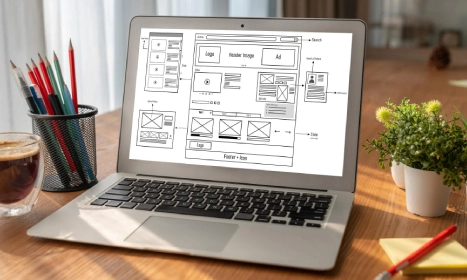
1. Wireframing
This is the basic outline of your website. It shows where elements go using simple lines and boxes. It does not use colors or fonts.
2. Mockup Creation
This is where the design comes to life. Designers, add your real colors, actual text, and final brand photos to the layout.
3. Prototyping
A prototype adds basic movement to your mockups. It simulates simple clicks and menu actions to show how the site will work.
4. Development and Testing
Once you approve the design, developers write the code. They make the site work smoothly on all screens.
How a Mockup Saves Your Website Development Budget
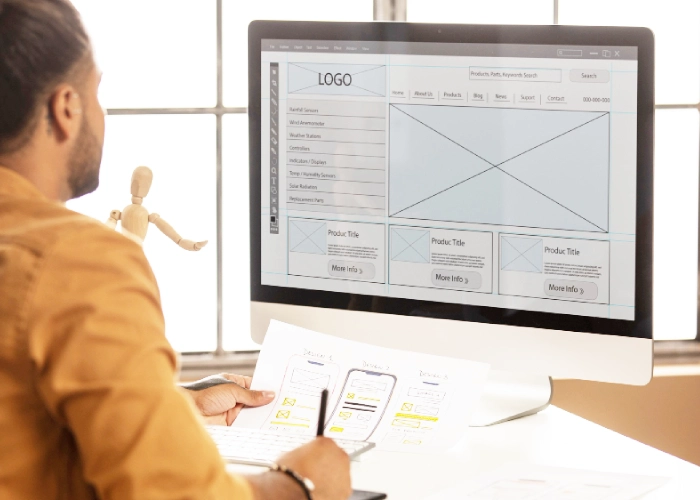
Changing a design in Figma or Photoshop takes only a few minutes. Changing that same design after coding can take days of extra work.
Making changes during the mockup stage prevents developers from rewriting code. This simple step keeps your project on schedule and protects your budget.
When you hire website development services, a mockup serves as an exact guide. It ensures your final coded site matches your approved design.
Common Design Mistakes Mockups Instantly Solve
Using mockups helps your team find and fix common layout errors before your site goes live.
Confusing Navigation Menus
A mockup lets you see how your main menu links connect. You can spot confusing paths and fix them before your visitors get lost.
Bad Image Placement
Low-quality images make a site look cheap. Mockups let you test your real photos in their actual sizes to ensure they look clean.
Poor Page Balance
Crowded layouts overwhelm your visitors. A mockup helps you balance text with clean white space so your pages are easy to scan.
Using Mockups to Prevent Mobile Website Design Mistakes
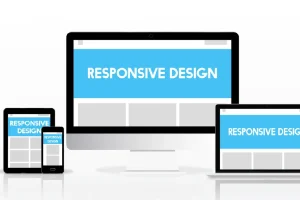
Many sites look great on desktop but fail on mobile screens. Reviewing mobile layouts early is the best way to catch critical errors. Look out for these three mobile layout warnings before you approve your files:
- Unreadable Mobile Fonts: Ensure all body text is large enough to read easily on small phone screens.
- Cramped Touch Targets: Make sure links and buttons are large enough for human fingers to tap easily.
- Heavy Image Layouts: Large background graphics look nice but can slow down your mobile loading speeds.
Design Deliverables Comparison: Wireframe vs. Mockup vs. Prototype
Feature Wireframe Website Mockup Prototype
Visual Detail Low (Gray boxes and lines) High (Full colors, fonts, and images) High (Full visual design)
Main Goal Page structure and layout Visual branding and style Testing user movement and clicks
Interactivity None (Static sketch) None (Static image) Active (Clickable menus and buttons)
Target Audience Designers and Architects Business Owners and Clients Web Developers and Testers
| Feature | Wireframe | Website Mockup | Prototype |
| Visual Detail | Low (Gray boxes and lines) | High (Full colors, fonts, and images) | High (Full visual design) |
| Main Goal | Page structure and layout | Visual branding and style | Testing user movement and clicks |
| Interactivity | None (Static sketch) | None (Static image) | Active (Clickable menus and buttons) |
| Target Audience | Designers and Architects | Business Owners and Clients | Web Developers and Testers |
Essential Mockup Review Checklist in Abu Dhabi for Business Owners
Review your mockups carefully using this simple checklist before you send them to your developers:
- Colors: Are your brand colors used correctly across all pages?
- Fonts: Is all text clear and easy to read against the background?
- Buttons: Do your main action buttons stand out clearly?
- Space: Is there enough empty space to keep the page clean?
- Menus: Is the main menu simple and easy to understand?
- Mobile: Have you reviewed how the layout looks on mobile phones?
Conclusion
A great website always begins with a clear visual plan. Using a top-quality website mockup is the only way to avoid website design mistakes, and stay on budget.
Following a structured website design process keeps your project simple, fast, and successful.
At Thecreatives360, we design and build sites that help your business grow. Contact us today to learn more about our professional web development services and start planning your project.
Book Your Design Consultation In Abu Dhabi
FAQs
1) What is the primary difference between a wireframe and a website mockup?
A wireframe is a simple outline showing where elements go. A website mockup is a detailed visual design showing your final brand colors, fonts, and images before coding starts.
2) How do visual mockups help teams avoid website design mistakes?
Visual mockups show exactly how your finished pages will look. This helps you spot crowded layouts and hard-to-read text. You can make easy edits before developers write code.
3) Why is a mockup so important in a professional website design process?
A mockup acts as a clear visual guide for everyone on the project. It ensures business owners, designers, and developers agree on the style, keeping the project on track.
4) Can a mockup help identify responsive design issues on mobile screens?
Yes. Creating mobile mockups shows you how your text and images scale on smaller screens. This helps you fix cramped layouts before your site goes live.
5) Do mockups save money during web development services?
Yes. Making edits to a design file takes minutes. Fixing coded pages is slow and expensive. Mockups keep your project on budget by preventing coding reworks.