In the audio vs video podcast decision, audio podcasts cost less to produce and are easier to maintain. Video podcasts offer more opportunities to reach new audiences on YouTube and social media. Businesses that want both can record interviews on camera and release a separate audio version.
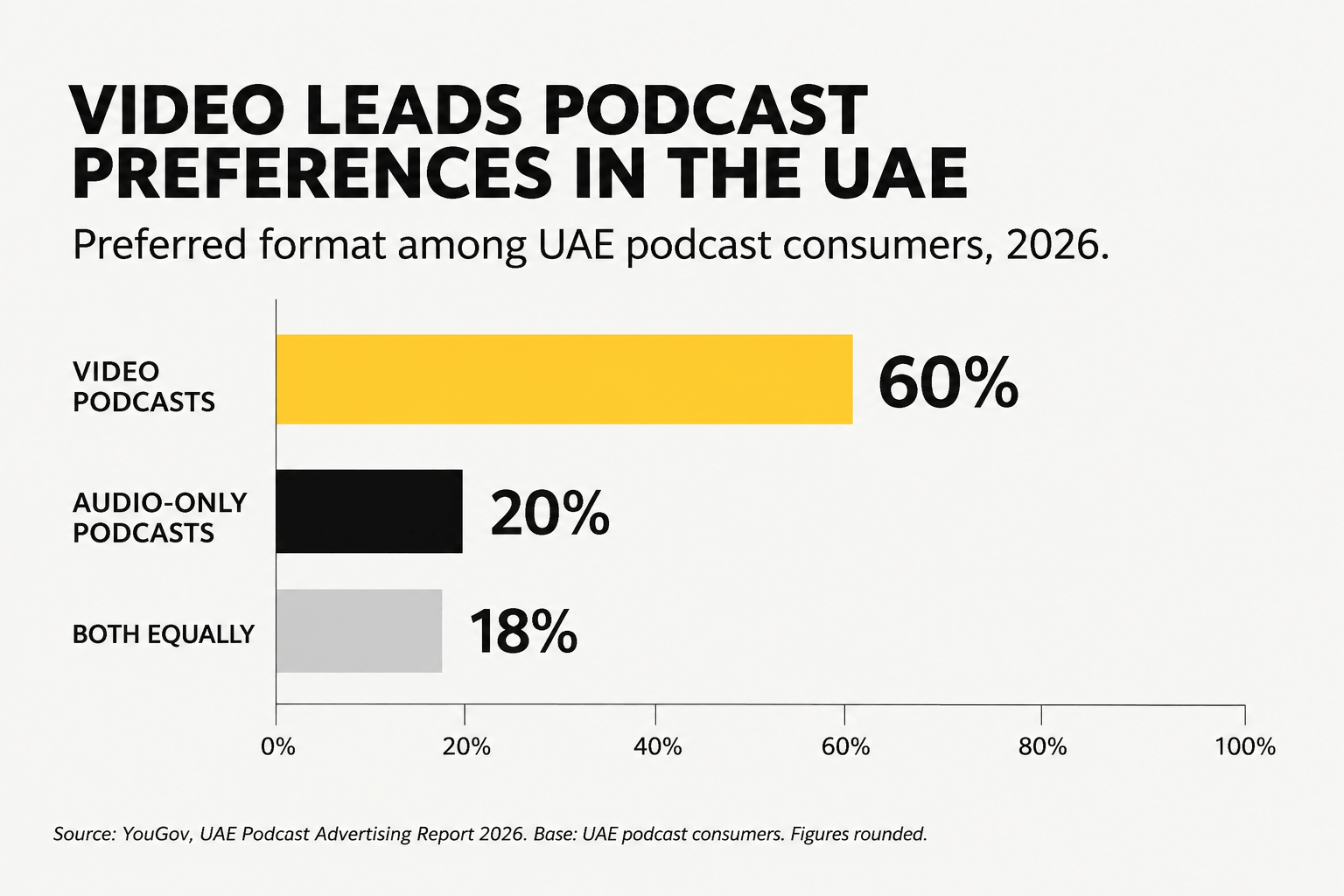
In the UAE, video has a clear lead. YouGov’s 2026 research found that 60% of podcast consumers prefer video, compared with 20% who prefer audio-only.
That doesn’t mean every company needs cameras. A weekly industry briefing has different production needs from a founder interview designed for YouTube. The format should suit the audience, the subject, and the amount of work your team can manage.
Do Podcasts Have Video Today? How Platforms Reshaped the Format
Yes. Podcasts can be audio-only, video-based, or published in both formats.
Audio podcasts traditionally reach listeners through RSS feeds. Video has opened up other ways to distribute episodes, particularly through YouTube, Spotify, and Apple Podcasts.
Each platform handles things a little differently.
YouTube offers search, recommendations, and suggested videos, making it possible for people to discover a show without knowing its name. In February 2025, YouTube reported more than one billion monthly active podcast viewers.
Spotify supports both audio and native video episodes. Creators can publish video through Spotify’s supported tools while continuing to distribute audio to other podcast apps.
Apple Podcasts expanded its video support in 2026 using HTTP Live Streaming (HLS). Supported episodes allow users to switch between watching and listening. Creators need a participating hosting provider to publish through this system.
How Podcast Distribution Works
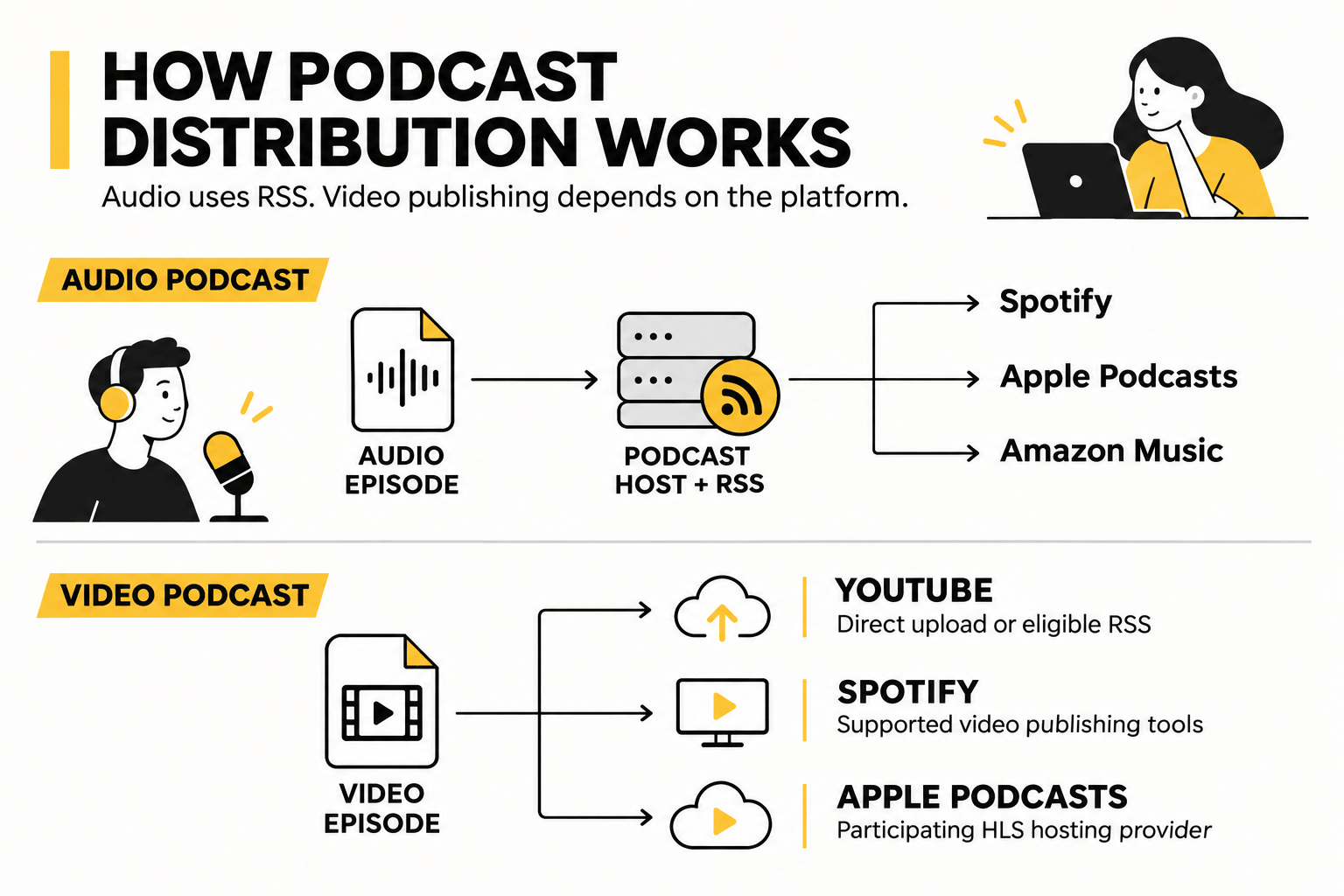
An RSS feed carries audio files and episode details, including titles, descriptions, and artwork, to compatible listening apps such as Spotify, Apple Podcasts, and Amazon Music.
Video requires different publishing arrangements. YouTube accepts direct uploads and eligible RSS feeds, while Spotify and Apple Podcasts have their own requirements.
You can prepare both versions from one recording, so there’s no need to interview the same guest twice.
For businesses planning filmed interviews, a podcast studio in Dubai and Abu Dhabi provides a way to record professional audio and video together without building a studio at the office.
Are Audio or Video Podcasts More Popular in 2026?
Video is particularly popular in the UAE, but many people still enjoy listening without a screen.
What the UAE Data Shows
YouGov’s UAE Podcast Advertising Report 2026 found that 81% of UAE respondents consume podcasts in at least one format, the highest rate among the markets surveyed.
Here’s how UAE podcast consumers described their preferences:
| Podcast Format Preference | Percentage |
|---|---|
| Video podcasts | 60% |
| Audio-only podcasts | 20% |
| Both equally | 18% |
Source: YouGov, UAE Podcast Advertising Report 2026. Figures refer to podcast consumers and are rounded.
The report also found that 30% of UAE respondents watched at least five hours of video podcasts per week, compared with 23% who spent that much time listening to audio.
The audiences overlap considerably. Around 68% consumed both formats. Listening also fits into everyday routines: 31% consumed podcasts before or during sleep, and 29% during their commute.
A person might watch an interview on YouTube in the evening, then listen to another episode on the drive to work.
And viewing isn’t limited to phones. In December 2025, YouTube reported more than 700 million hours of podcast viewing on living-room devices during October 2025.
For a business hoping to attract new viewers, those figures make video worth considering. Publishing audio as well lets people follow the show when watching isn’t convenient.
What Audio-Only Podcasts Do Best (And Where They Fall Short)
An audio-only show is a good fit when people care more about the information than seeing the speaker.
Consider a financial advisory firm releasing a 15-minute market update each Monday. Its audience may be listening on the way to work. A camera adds little to that experience.
Why Businesses Choose Audio-Only
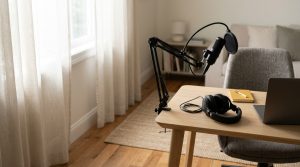
Production is relatively straightforward. You’ll need a suitable microphone, headphones, a quiet room, and editing software. There’s no lighting to adjust or footage to review.
Guests may also be easier to book. Some executives are comfortable speaking remotely but don’t want to appear on camera. Others simply can’t make time for a full video shoot.
Without filming, interviews can be less demanding for everyone involved.
Publishing is easier to manage, too. A small team producing weekly episodes has fewer steps between recording and release.
Where Audio Falls Short
The biggest limitation is promotion on visual platforms.
Podcast directories offer search and recommendations, but an audio recording doesn’t give you much footage for Instagram Reels, YouTube Shorts, or LinkedIn.
Audiograms help fill that gap. They turn sound clips into short videos with captions, artwork, or animated waveforms. They’re useful for sharing an interesting quote, although viewers won’t see the people speaking.
Audio also struggles with subjects that need a demonstration. Describing a property layout or software interface can be frustrating when the audience can’t see it.
For expert commentary and regular business updates, these limitations may not be important.
What Video Podcasts Do Best (And Where They Fall Short)
Video gives each interview more ways to reach people.
A conversation with a company founder could appear as a full YouTube episode, with selected answers shared separately on LinkedIn, Instagram Reels, and YouTube Shorts.
Those clips can introduce the speaker to people who wouldn’t normally search for the podcast.
Discovery, Trust, and Personal Branding
Take a Dubai real estate company discussing property investment. Its full episode might cover financing, neighborhood comparisons, and the buying process.
Instead of promoting the entire interview every time, the company could share a short answer to a question buyers frequently ask.
Video also lets viewers see how someone speaks and explains ideas. That can be useful for consultants, founders, and executives whose work involves building client relationships.
Over time, regular appearances can support an executive personal branding strategy.
Why Video Takes More Work
Filming adds cameras, lights, backgrounds, and extra preparation for guests.
Editing is where the workload can grow. Beyond cleaning up the sound, someone has to select camera angles, correct colors, and prepare the finished episode.
Then there are the clips. Finding good moments, adding subtitles, adjusting vertical layouts, making thumbnails, and scheduling posts all take time.
A small marketing team may be able to record every week but struggle to keep up with everything that follows.
If editing is the sticking point, ask about podcast recording and post-production support in Dubai and Abu Dhabi. Check which editing services and deliverables are included before booking.
A simpler production schedule is better than committing to weekly videos that rarely get finished.
Audio vs Video Podcast Comparison: Which Fits Your Business Goals?
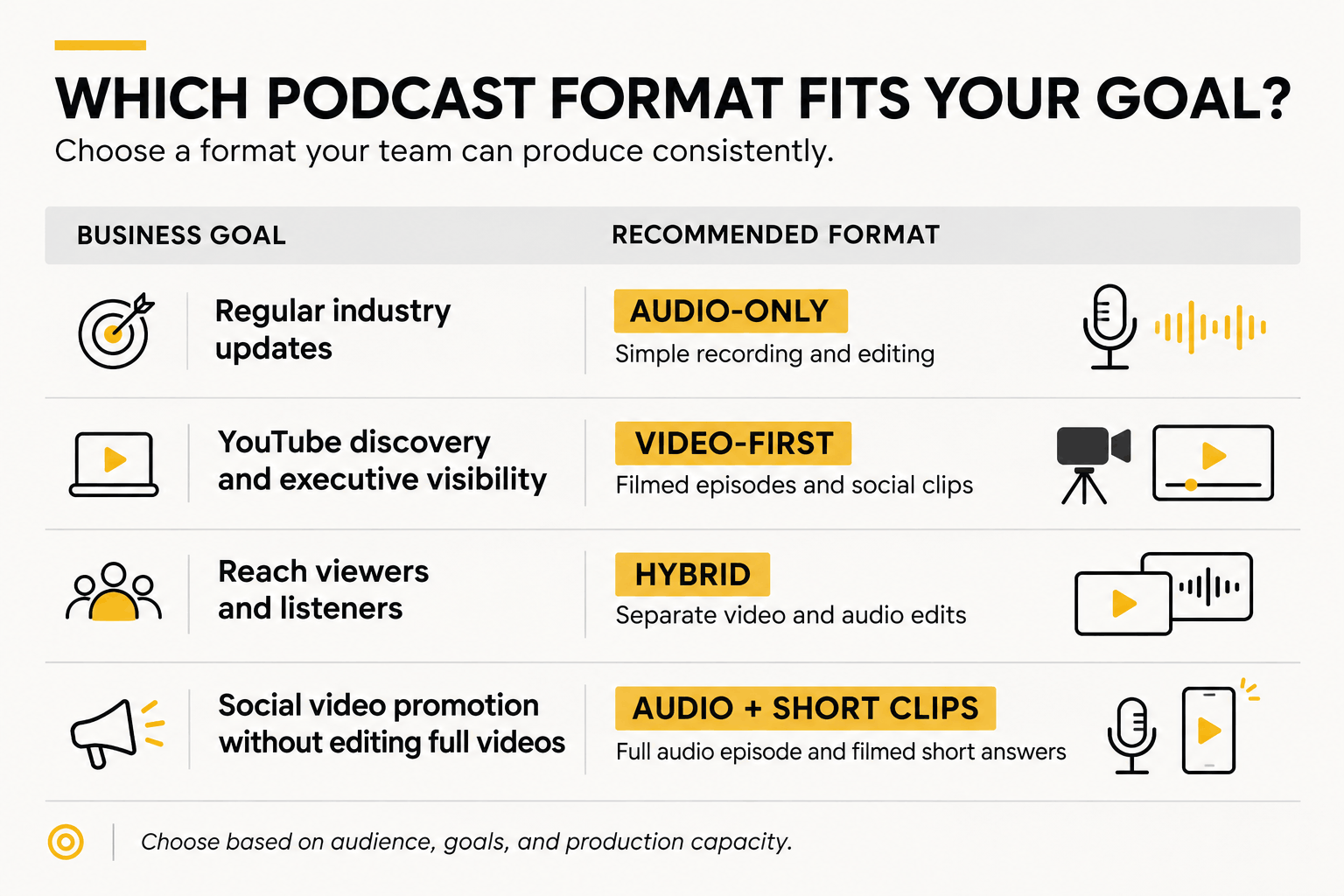
Here’s how the formats compare for a typical business podcast.
| Factor | Audio-Only | Video-First / Hybrid |
|---|---|---|
| Best suited for | Industry updates, expert interviews, internal content | Audience discovery, executive visibility, demonstrations |
| Main channels | Spotify, Apple Podcasts, Amazon Music | YouTube, supported video podcast platforms, social media |
| Equipment | Microphones, headphones, quiet room | Audio equipment, cameras, lighting |
| Editing | Generally simpler | Audio, footage, graphics, and clips |
| Guest experience | Less camera pressure | More preparation |
| Reusable content | Articles, transcripts, audiograms | Full episodes, audio, short videos, articles |
Which Format Should You Choose?
For regular updates or technical discussions that don’t need visuals, start with audio-only.
If your goal is to build visibility on YouTube or put company leaders in front of potential clients, video-first makes more sense.
Choose hybrid when you have the resources to publish full episodes in both formats and turn the footage into social content.
There’s another option for teams that want some video without taking on the full workload.
A Middle Ground: Full Audio Episodes With Short Video Clips
Record the interview as audio, then film a few short answers for social media.
After a 45-minute discussion, for example, you could ask the guest to answer three questions on camera. Each response becomes a 30–60-second clip for LinkedIn, Reels, or Shorts.
A smartphone and simple lighting may be enough, depending on the quality you’re aiming for.
You still get visual content to promote the show, but there’s no hour-long video to edit.
This can also make life easier for guests who are happy to record a short clip but don’t want cameras running throughout the interview.
The Hybrid Workflow: Turning One Recording Into Multiple Formats
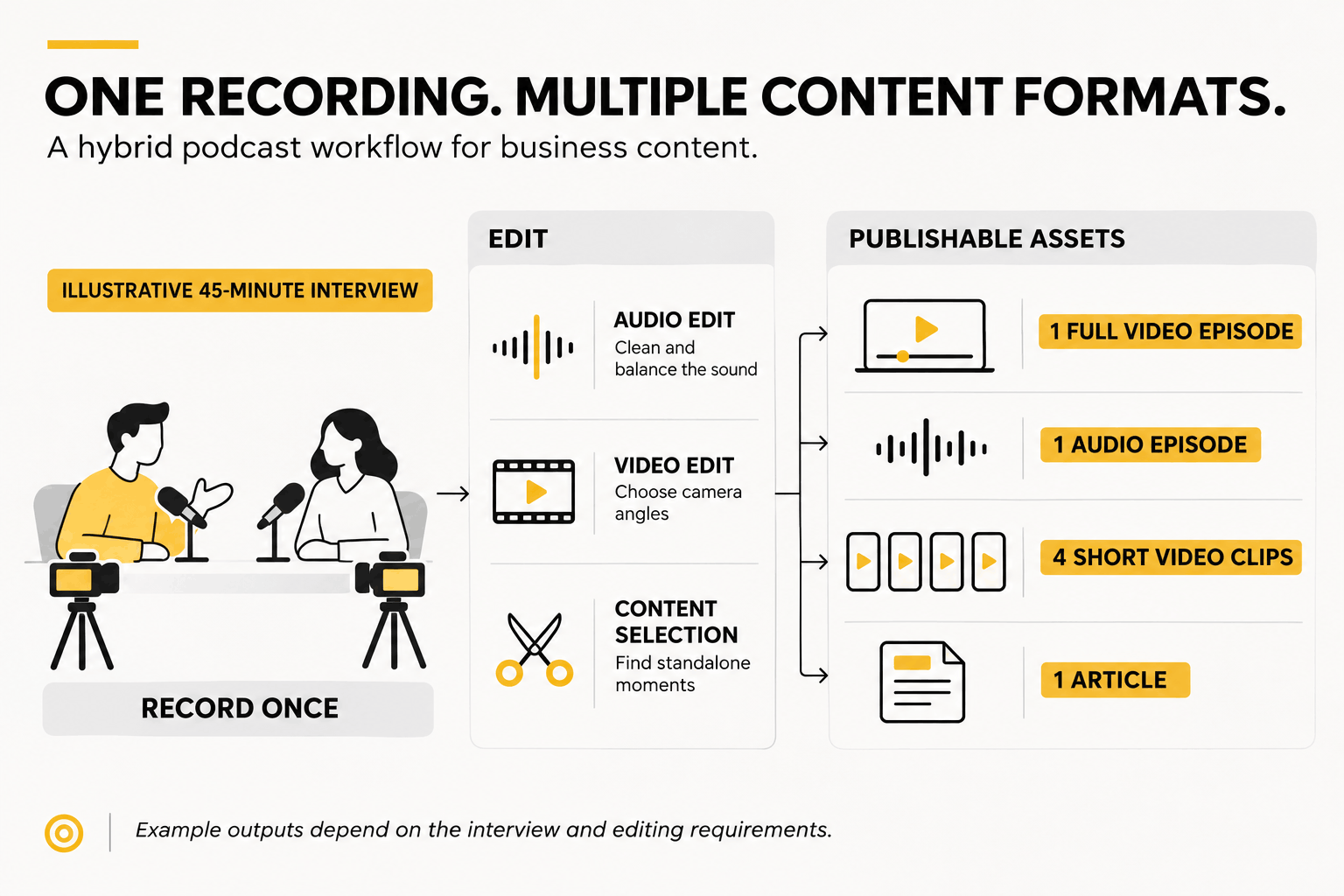
A hybrid podcast begins with one filmed conversation. The production team then prepares separate versions for podcast apps, YouTube, and social media.
Here’s a workable process:
- Record the interview. Use suitable microphones for each speaker and capture the camera angles you’ll need. Separate audio tracks make it easier to clean up individual voices.
- Edit the audio version. Remove interruptions, balance sound levels, and check that the conversation makes sense without the picture.
- Finish the video. Match the footage with the audio, choose camera angles, and add any necessary graphics or captions.
- Select short clips. Pick three to five useful answers or moments that work as standalone videos.
- Use the transcript. Prepare show notes, a blog article, or newsletter content from the discussion.
A 45-minute interview might give you a full video, an audio episode, four short clips, and an article.
The actual output depends on what was discussed and how much editing each piece needs.
Turning Video Into Audio Takes More Than Exporting an MP3
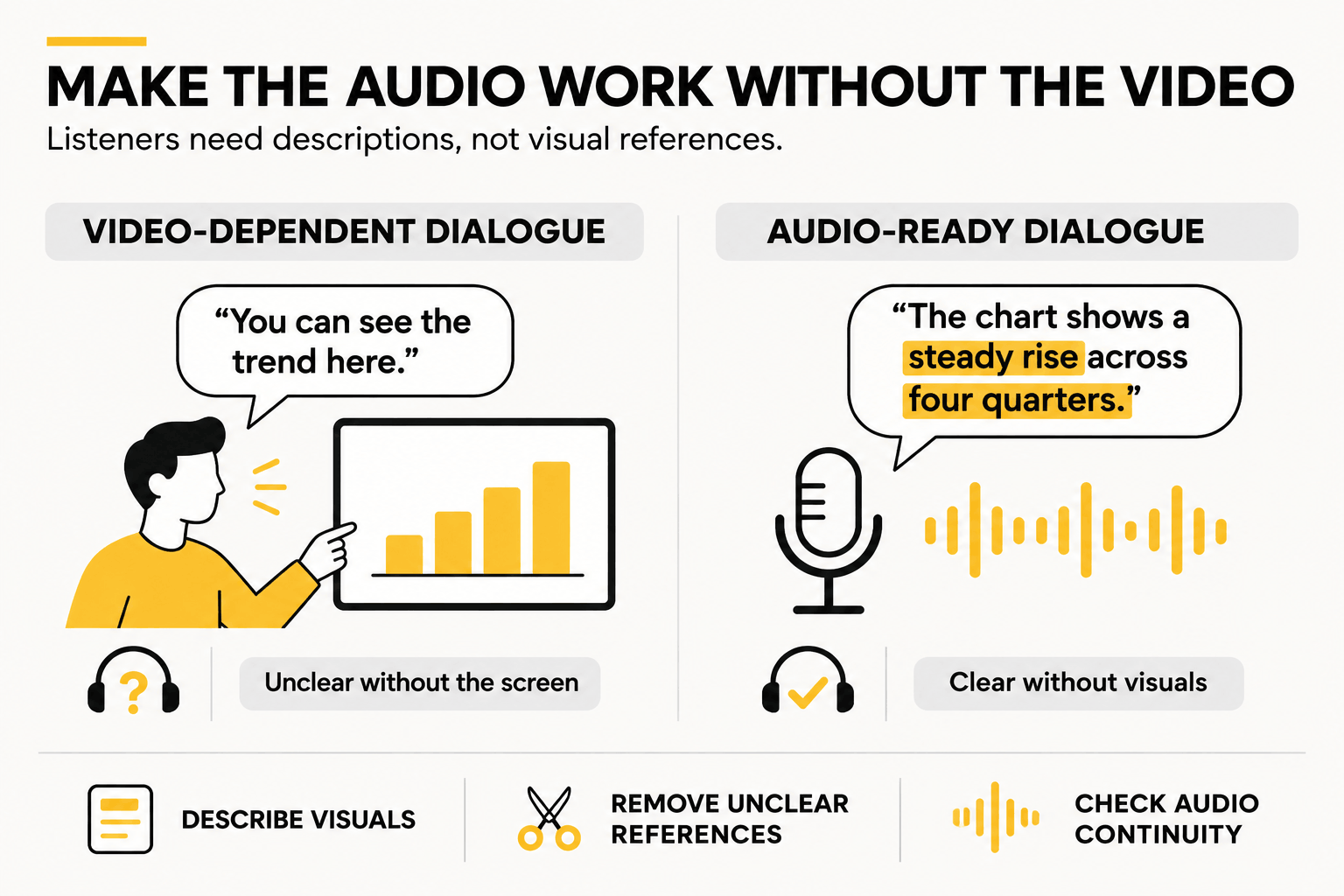
Suppose a guest holds up a product and says, “This is the feature I was talking about.”
That works for someone watching. A listener has no idea what they’re being shown.
The easiest fix is to catch these moments during recording. Ask guests to describe important visuals and explain their meaning aloud.
If the interview has already been filmed, the editor may need to remove a visual section, shorten it, or add a brief explanation.
Charts, slides, and screen demonstrations need the same attention.
It’s fine to mention that a video version is available, but the audio episode should make sense by itself.
Preparing guests beforehand helps. Our first podcast recording checklist covers what to arrange before the session.
Production Costs, Editing Workload, and Studio Recording
Audio-only production usually requires fewer tools: microphones, headphones, an audio interface or mixer, and a quiet recording space.
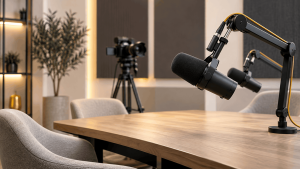
Video adds cameras, lighting, larger files, and more editing.
Room quality matters in either case. Acoustic treatment reduces echo inside a room, while soundproofing helps limit noise coming in or going out.
An expensive microphone won’t solve every problem in an office with bare walls and noisy air conditioning.
What Happens When Editing Becomes Too Much?
A weekly video show sounds manageable until the recordings start piling up.
An hour-long interview can leave the team with footage to review, a full episode to edit, and several clips to finish. Add regular marketing work, and publishing becomes harder to maintain.
For a business without a dedicated editor, an audio-first schedule may be more realistic.
You could release weekly audio episodes and film one guest interview each month. Special episodes get the extra production effort, while routine updates remain simple.
There’s no reason to turn every recording into a video.
Should You Record In-House or Rent a Podcast Studio?
An in-house setup can work well for frequent solo episodes and internal updates. Once the equipment is ready, recording is easier to fit around the team’s schedule.
Studios are often more practical for guest interviews, executive recordings, and productions involving multiple cameras.
Renting a podcast studio in Dubai or Abu Dhabi can provide access to professional equipment and technical support without buying everything yourself.
Before booking, check the available setups, recording time, operator support, raw files, and editing options. Our guide on how to choose a podcast studio in Abu Dhabi covers these considerations in more detail.
How Should Businesses Measure Podcast ROI?
Start with what the podcast is supposed to achieve.
An industry show aimed at potential clients may be doing its job with a small, relevant audience. A public-facing interview series might need broader reach to justify its production budget.
For audio, look at downloads or plays, returning listeners, and retention where available.
YouTube provides impressions, click-through rates, watch time, and audience retention. Short clips offer additional engagement data.
To assess business value, track relevant website visits, newsletter signups, inquiries, and qualified leads.
Be careful with comparisons. A podcast download and a YouTube view aren’t measured in the same way, and neither guarantees someone listened to the whole episode.
Frequently Asked Questions About Audio vs Video Podcasts
Are Audio-Only Podcasts Still Worth It, or Is Video Necessary to Grow?
Yes, audio-only podcasts are still worth producing. They’re convenient for people who listen while commuting, exercising, or working, and they require less production work.
Video can help new audiences discover your show, but you don’t need to film every episode. A publishing schedule you can maintain is more useful than an ambitious video plan that quickly falls behind.
Can You Put an Audio-Only Podcast on YouTube Without Filming?
Yes. You can publish an audio episode with static cover artwork or an audiogram.
YouTube also supports RSS podcast ingestion in eligible countries. It can create static-image videos using your audio files and podcast artwork.
This puts your show on YouTube without a camera, although you won’t have filmed footage for promotional clips.
How Do You Convert a Video Podcast Into an Audio-Only Episode Properly?
Use the recorded audio tracks to prepare a separate edit. Clean up the sound and remove parts that only make sense visually.
Where possible, describe charts, products, and demonstrations during the original recording. That reduces the need to fix confusing sections later.
You can also direct listeners to the video if they want to see what was discussed.
How Much Longer Does Video Editing Take Than Audio Editing?
Video generally requires more editing because of camera angles, color correction, captions, graphics, and visual clips.
The additional time varies with the episode length, number of cameras, recording quality, and final deliverables. There’s no standard editing-time estimate that fits every show.
For businesses without a dedicated editing team, The Creatives 360 podcast production and post-production support in Dubai and Abu Dhabi can help reduce the workload.
What If Our Guests or Executives Don’t Want to Be on Camera?
Record the interview as audio. There’s little value in losing an interesting guest because they don’t want to be filmed.
You can promote the conversation through quotes, audiograms, and written content. Another option is to ask for a short video introduction or promotional clip, without requiring the guest to appear on camera for the full episode.
Can You Start With an Audio Podcast and Add Video Later?
Absolutely. You can begin with audio, establish a regular publishing schedule, and add filming when your team has the time and budget.
A business might produce weekly audio updates, for example, then introduce filmed interviews for YouTube and LinkedIn.
The existing podcast feed can continue while you develop the video side of the show.
Start Your Audio or Video Podcast in Dubai & Abu Dhabi
If your goal is to publish regular, straightforward episodes, audio-only may be enough. Video makes more sense when YouTube visibility and personal branding are priorities. With a hybrid setup, you can serve both audiences from one recording.
The Creatives 360° offers podcast studio rental and production services in Dubai and Abu Dhabi, with RØDE microphones, Sony cameras, Godox lighting, and post-production support.
You can book a studio session for your own show or explore professionally hosted recordings through 360 Talks Podcast.