You can make a home podcast studio setup with a quiet room, one good microphone, closed-back headphones, and free recording software, and it will sound professional. The room matters more than the gear.
A modest microphone in a quiet, soft-furnished space often beats a pricey one in an echoey living room. Below, you’ll see how to set up a podcast studio at home step by step, what it costs in AED, and when renting a studio in Abu Dhabi or elsewhere in the UAE makes more sense.
What Equipment Do You Need for a Home Podcast Studio?
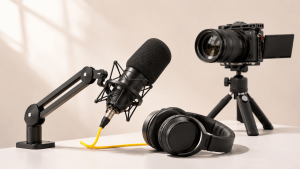
You need five things: a microphone, headphones, a stand, a pop filter and recording software. Everything else is an upgrade you can add later.
- Microphone: A USB microphone plugs straight into your laptop, which suits solo beginners. An XLR microphone needs an audio interface but gives you more control and room to grow. In an untreated room, a dynamic microphone is the safer choice because it picks up less echo.
- Headphones: Closed-back pairs keep sound from leaking into your recording.
- Microphone stand and pop filter: The stand holds you at a steady distance, and the filter softens harsh “p” and “b” sounds.
- Software: A free digital audio workstation (DAW) is enough to start.
Video podcasters also need a camera and LED lighting, which step five below covers. Treat the rest of the home podcast studio equipment list as optional until your first few episodes are out.
How to Set Up a Podcast Studio at Home
Follow these six steps in order. The first two cost almost nothing and improve your sound more than any gadget.
1. Choose a Quiet Room for Recording
Pick the smallest, quietest room you have, away from the road, the lift and the kitchen. A bedroom or walk-in wardrobe often works well because clothes and soft furnishings soak up sound. Big rooms with tile floors are the worst, since every word bounces off the walls. Test the air conditioning too. Your ears tune it out, but a microphone won’t.
2. Reduce Echo and Background Noise
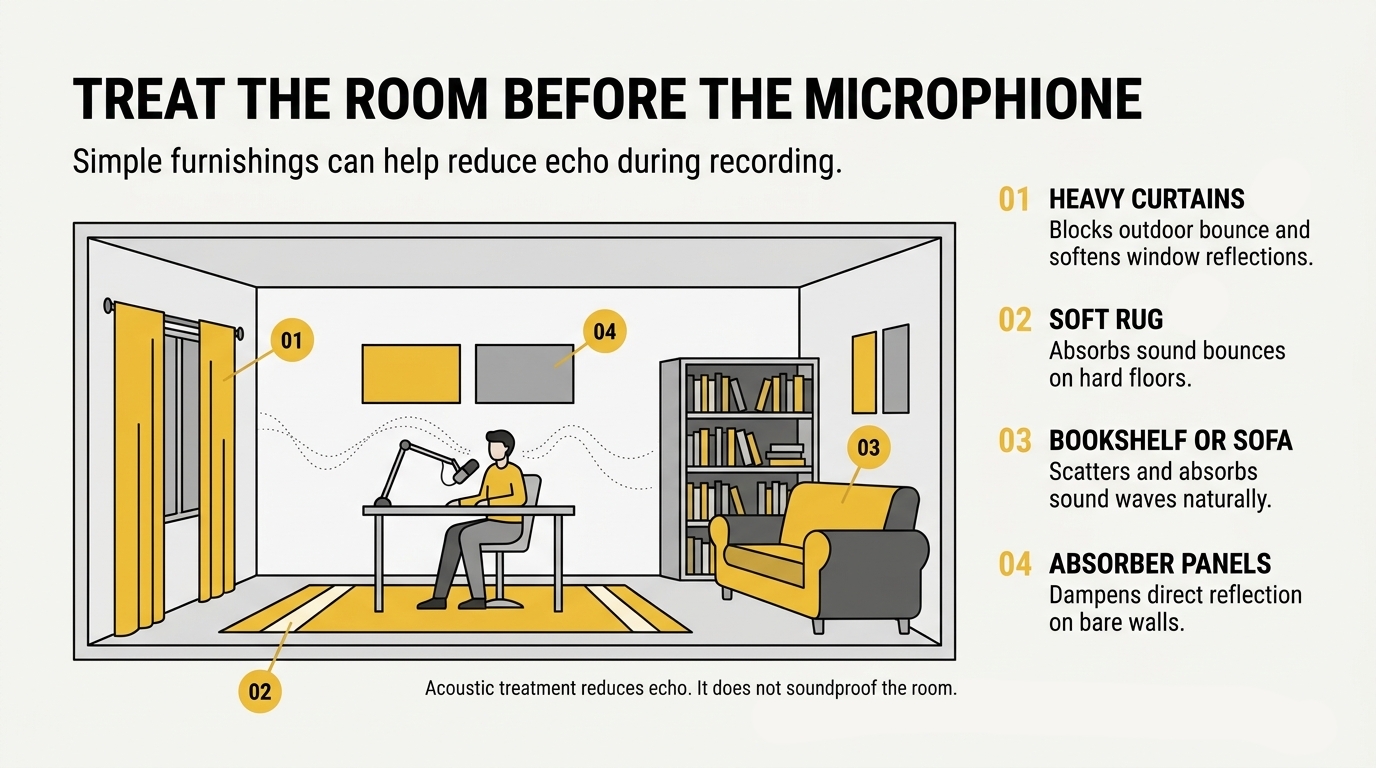
Echo and outside noise are two different problems. Acoustic treatment absorbs sound inside the room to cut reverberation, while soundproofing stops noise from travelling in or out, as this guide to soundproofing vs acoustic treatment explains. At home, treatment matters more, and you can start cheaply:
- Lay a rug over hard flooring
- Close heavy curtains
- Put a sofa or bookshelf behind you
- Add absorber panels to the walls nearest your microphone
Clap once. If you hear a ringing tail afterwards, the room needs more soft surfaces.
3. Choose and Connect Your Microphone
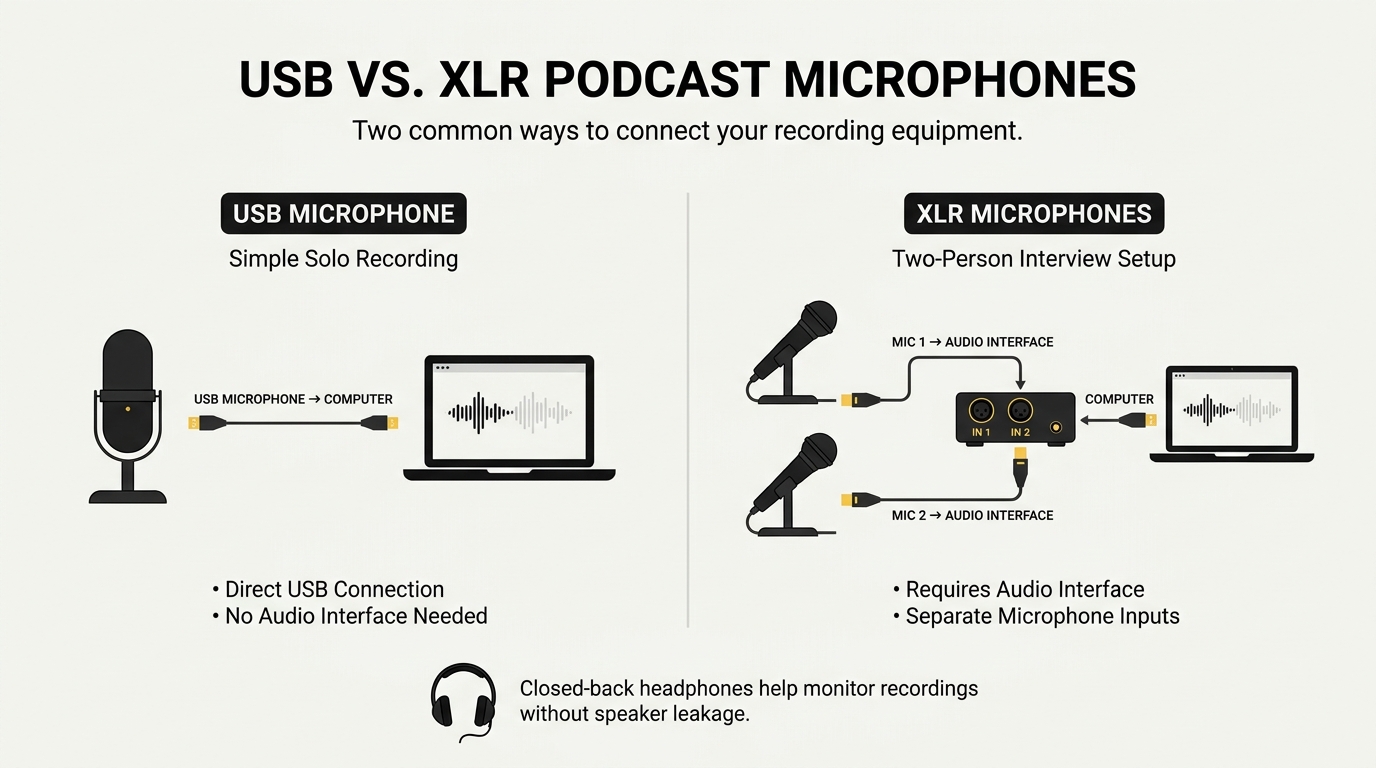
For one speaker, a USB microphone is the simplest route: plug it in and select it on your computer. If your room is noisy or you record guests, a dynamic XLR microphone connected through an audio interface rejects more background noise. Shure’s microphone guide for podcasting compares dynamic and condenser types, USB and XLR, and pickup patterns. Either way, mount it on a stand, add the pop filter, and speak a hand’s width from the capsule, slightly off-centre.
4. Set Up Recording and Editing Software
Audacity is free and enough for most beginners. Choose your microphone as the input device, speak at normal volume and watch the meter. Keep your loudest peaks well below the red zone so nothing distorts. The Audacity recording manual covers input selection, level checks and capturing tracks. If you have a guest, record each voice on its own track so editing stays easy.
5. Add Cameras and Lighting for Video Podcasts
For a video podcast setup, place the camera at eye level and put an LED light slightly to one side of it, so your face is evenly lit without harsh shadows. A decent webcam or recent phone is enough to begin. In OBS Studio, add your camera and microphone as sources, check your recording settings, then run a short test. The OBS quick start guide shows each step. For multi-camera or cinematic shoots, professional videography services in Abu Dhabi can take over where a home setup runs out.
6. Test Your Setup Before Recording
Record two minutes of normal speech, then play it back on headphones and on a phone speaker. Listen for:
- Echo or a hollow sound
- Fan, AC or traffic hum
- Distortion when you laugh or raise your voice
- Mouth clicks and harsh “p” sounds
Fix one issue at a time, then record again. A five-minute test saves you from re-recording a full episode.
How Much Does a Home Podcast Studio Setup Cost?
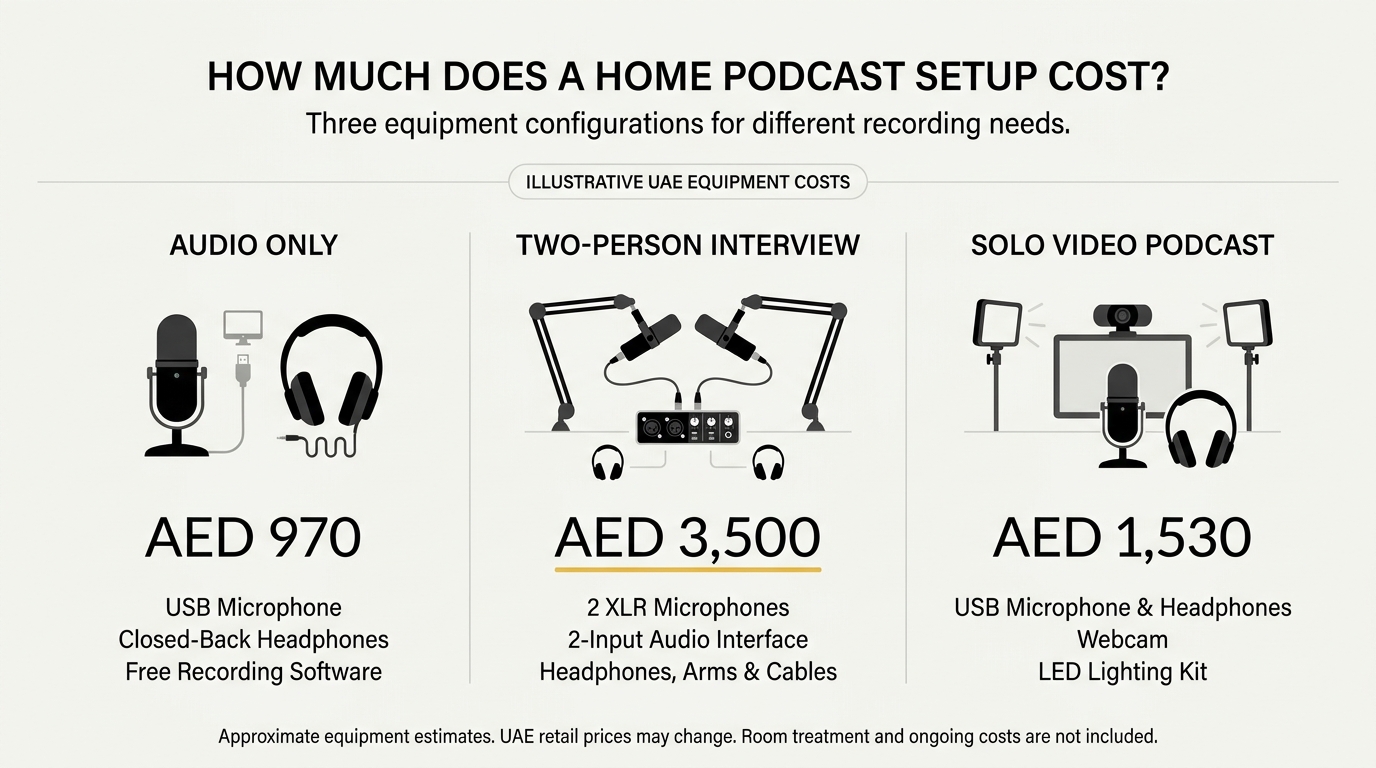
A basic audio-only home podcast studio setup costs roughly AED 970, a two-person interview setup about AED 3,500, and a video setup for one host around AED 1,530. These are estimates from current UAE retail prices, and they shift often.
Basic Audio-Only Podcast Setup
One USB microphone and closed-back headphones are enough. For example, the Rode NT-USB Mini is listed at AED 443.10 in the UAE. That is one microphone price, not the cost of a complete home podcast studio. Add headphones at about AED 530 and you’re near AED 970. Audacity is free.
Two-Person or Interview Podcast Setup
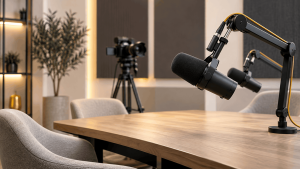
Two speakers need two dynamic XLR microphones and an audio interface with two inputs. Two Rode PodMics, a Focusrite Scarlett 2i2, two pairs of headphones, desk arms and cables come to roughly AED 3,500. You’ll also need a headphone splitter, because the 2i2 has only one headphone output.
Video Podcast Studio Setup
For one host on camera, add a webcam and lighting to the basic kit: about AED 300 for a Logitech C920 and about AED 260 for a two-panel LED light kit. That brings the total to around AED 1,530. OBS Studio is free.
| Item (AED) | Audio-only | Interview | Video |
| Microphone(s) | 443 (Rode NT-USB Mini) | 798 (2× Rode PodMic) | 443 |
| Audio interface | — | 799 (Scarlett 2i2) | — |
| Headphones | 529 (ATH-M40x) | 1,058 (2×) | 529 |
| Accessories | — | 856 (2 desk arms, 2 XLR cables) | 259 (LED kit) |
| Camera | — | — | 299 (C920) |
| Software | Free | Free | Free |
| Estimated total | ~972 | ~3,511 | ~1,530 |
Home Podcast Studio vs Professional Studio Rental: Which Is Better?
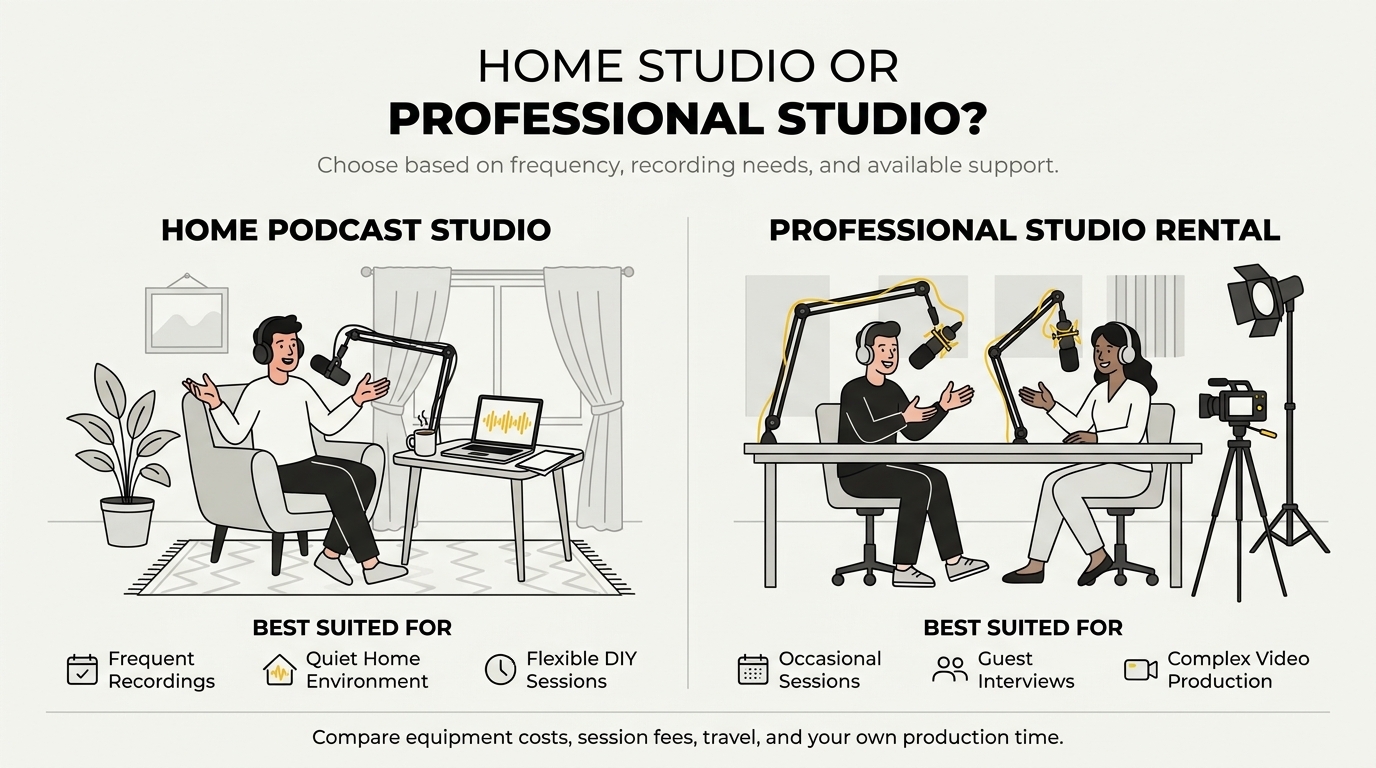
A home studio wins on cost and convenience if you record often in a quiet room. A professional podcast studio wins on sound, equipment and support, especially for guests, video or one-off recordings. Many creators start at home and rent once the stakes rise.
| Factor | Home studio | Studio rental |
| Upfront cost | You buy the gear once, roughly AED 970 to 3,500 as above | Pay per session, with no gear to buy |
| Recording quality | Depends on your room and skill | Treated room, consistent results |
| Equipment | Only what you buy | Professional microphones, cameras and lighting usually included |
| Technical support | You’re the engineer | A trained team handles setup and levels |
| Convenience | Record any time, no travel | Book a slot and travel to the studio |
| Flexibility | Easy to experiment and re-record | Fixed hours and a set layout |
How to Compare the Total Cost of Building vs Renting
Divide your setup cost by the episodes you’ll record in a year, then compare that figure with a studio’s per-session rate. Count the hidden extras too: acoustic treatment, software, replacement gear and your own editing time. If you record weekly, building usually pays off. If you record a few times a year, renting is often cheaper and sounds better.
When Does Renting a Professional Podcast Studio Make More Sense?
Renting makes more sense when the recording matters more than the gear: guest interviews, video episodes, branded content, or any session where a bad take costs you time or credibility. A professional podcast studio in Abu Dhabi gives you a treated room, broadcast-quality microphones, cameras, lighting and a technician on hand. It also suits you if your home is noisy, your space is small, or you only record a few times a year.
Common Home Podcast Studio Setup Mistakes to Avoid
The biggest mistakes are spending on gear before fixing the room and skipping a test recording. Watch for these:
- Buying an expensive microphone for an echoey room. Treat the room first, then upgrade.
- Recording near windows, fans or the air conditioning. Background noise is hard to remove later.
- Sitting too far from the mic. Stay a hand’s width away, and never speak straight into it.
- Using speakers instead of headphones. Sound leaks back into the recording.
- Ignoring levels. Peaking into the red causes distortion you can’t fix.
- Skipping the test. Two minutes of playback catches most problems.
Frequently Asked Questions
Can I Record a Podcast in My Bedroom?
Yes. A bedroom is often a good choice because the bed, curtains and wardrobe absorb echo. Record away from windows and the air conditioning.
Do I Need to Soundproof My Home Podcast Studio?
Not usually. Acoustic treatment matters more, since it reduces echo. Soundproofing only helps if outside noise is a constant problem.
Is a USB Microphone Good Enough for Podcasting?
Yes, for a solo host. A USB microphone is simple and sounds clean. Choose XLR if you need more control or plan to add guests.
Can I Record a Podcast with Two People at Home?
Yes. Use two dynamic XLR microphones and an interface with two inputs, and give each voice its own track.
Should I Build a Home Podcast Studio or Rent One?
Build if you record often and have a quiet room. Rent for guests, video or high-stakes sessions.
Need a Professional Space for Your Next Podcast Recording?
A home podcast studio can be a practical starting point, but some projects need additional equipment, technical support, or a dedicated recording environment. If you’re planning a business interview, video podcast, or professional recording session, explore The Creatives 360°’s podcast studio rental and production services in Abu Dhabi and Dubai.