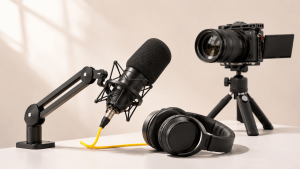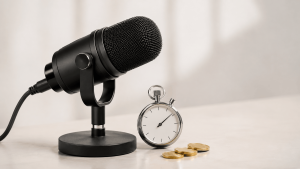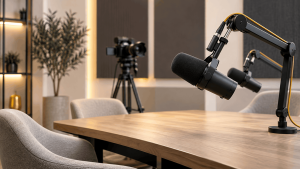
To prepare for your first podcast studio recording, decide on your episode goal, outline your talking points, brief your guests, and confirm the setup with the studio. On recording day, bring your notes, allow time for sound and camera checks, and focus on the conversation. Before leaving, make sure the recordings are saved and you know how the files will be delivered.
Learning how to prepare for a podcast recording also means knowing what the studio handles and what you need to organize yourself. A clear plan makes the session easier for everyone, especially when it’s your first time behind the microphone.
First Podcast Recording Checklist: What Should You Prepare?
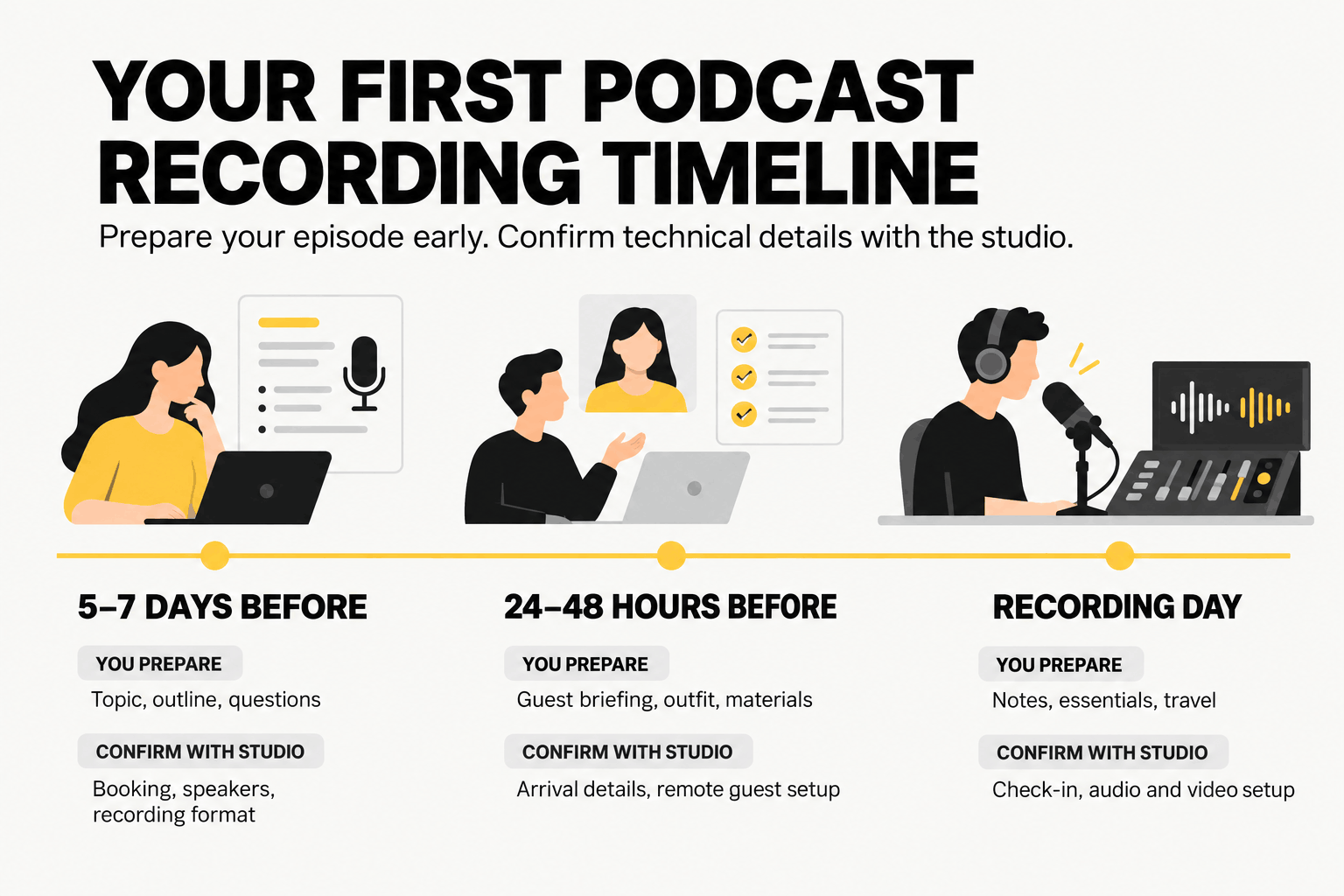
Start with the episode itself. Once you’ve settled on the topic and format, you can work through the guest arrangements, studio requirements, and recording-day details.
This timeline gives you a practical starting point. The exact schedule may vary depending on your booking.
| When | What You Should Prepare | What to Confirm With the Studio |
|---|---|---|
| 5–7 days before | Episode topic, format, outline, and guest questions | Booking details, number of speakers, audio or video setup |
| 24–48 hours before | Guest briefing, outfit, and branding materials | Studio address, arrival instructions, remote guest arrangements |
| Recording day | Notes, personal items, and travel arrangements | Check-in and setup time |
| Before recording | Speaking pace and microphone position | Audio levels, camera framing, recording status |
| After recording | Editing notes and approvals | Saved files, delivery method, and editing services |
What Should You Do One Week Before Recording?
Use the week before your session to plan the conversation and sort out any production requirements. You don’t need a perfect script. A clear direction and a few well-prepared questions will give you plenty to work with.
Define Your Episode Goal and Format
Think about what you want listeners to learn from the episode. Try explaining that goal in one sentence.
A founder interviewing a customer, for example, might choose:
“Listeners will learn how customer feedback changed our first product.”
That gives the discussion a clear purpose. You can use it to decide which questions belong in the episode and which ones might take the conversation off track.
Next, settle on the format. Will you host a solo episode, interview one guest, or bring several people together for a panel?
You’ll also need to decide between audio-only and video recording. Set an approximate episode length, then share the format and number of speakers with the studio. The team can use those details to plan the equipment and seating arrangements.
Prepare Your Episode Outline and Questions
A podcast outline doesn’t need to include every word you’ll say. For most interviews and discussions, a few well-organized talking points will sound more natural than reading from a full script.
Plan your introduction, main topics, follow-up questions, and closing. Shure’s guide to recording your first podcast episode also recommends preparing an outline and testing your recording before starting a full take.
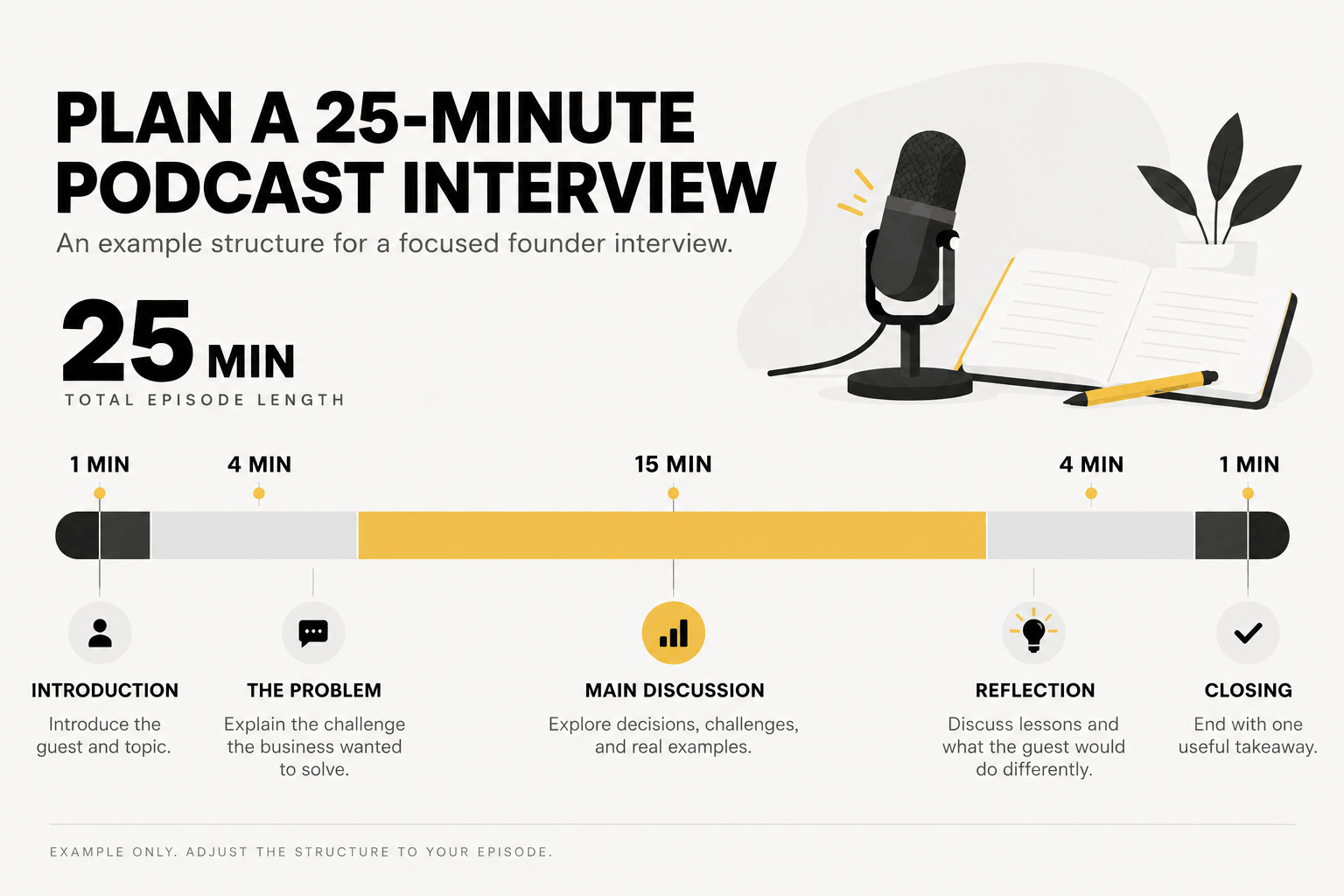
Here’s one way to structure a 25-minute founder interview:
- 1 minute: Introduce the guest and explain the topic.
- 4 minutes: Discuss the problem the business wanted to solve.
- 15 minutes: Explore the decisions, challenges, and examples.
- 4 minutes: Talk about lessons learned and what the guest would do differently.
- 1 minute: Finish with a useful takeaway.
Open-ended questions tend to give your guest more room to explain their experience.
Instead of asking, “Was that difficult?” try “What was the hardest part of that process?”
Keep a few extra questions nearby. You might not need them, particularly when an interesting answer leads the conversation somewhere you hadn’t planned.
Brief Your Guests Before the Session
Guests should know what they’re walking into. Send them the episode topic, recording time, expected duration, and a few questions or discussion themes in advance.
You’ll also want their correct names, job titles, and preferred pronunciations. Give them a chance to flag sensitive topics or anything they’d rather not discuss.
Explain where the episode will be published and how you intend to use the recording, including possible short clips for social media. Arrange the appropriate recording and publication permissions before the session.
Your message can be simple:
We’re recording an episode about [topic] on [date] at [time]. Please arrive at [location] by [agreed arrival time].
We’ll mainly cover [three themes]. Let me know how you’d like your name and title introduced, and feel free to flag anything you’d prefer not to discuss.
We’ll also confirm permission to record and publish before we begin.
For remote guests, include the joining instructions and a backup contact number. That gives you another way to reach them if the connection drops.
Confirm Your Studio Booking and Production Requirements
Go through the booking details while there’s still time to make changes.
You should know the session date, duration, location, number of speakers, and recording format. Find out what equipment comes with the booking, including microphones, headphones, cameras, and lighting.
Technical support matters too. Will a recording operator be present, or are you expected to manage some of the equipment yourself?
One detail worth settling early is setup time. Sound checks and camera adjustments may count toward your booked session, depending on the studio.
Discuss the files you want afterward as well. You might need a finished episode, individual audio tracks, raw camera footage, or shorter clips for social media.
Still comparing venues? Our guide to choosing a podcast studio in Abu Dhabi covers the equipment and facilities worth considering before you book.
How Should You Prepare the Day Before Recording?
The day before recording is for sorting out practical details. Your episode plan should already be in place, leaving you free to prepare your outfit, gather materials, and organize the trip to the studio.
Prepare Your Outfit and On-Camera Appearance
For video podcasts, choose comfortable clothing that works with the studio background.
Very thin stripes and tightly repeating patterns can look distracting on camera. Jewelry that rattles or clothing that brushes against a clip-on microphone may also create unwanted noise.
Brand colors are another consideration. Find out what the set looks like before choosing an outfit, particularly for a branded interview or business podcast.
A spare outfit is useful for an important video session. It gives you an alternative without needing to change your recording plans.
Confirm Logistics and Prepare Your Materials
Check the studio address, building entrance, parking arrangements, and travel time. In Dubai and Abu Dhabi, leave some room for traffic, especially when guests are coming from different areas.
Follow the arrival instructions provided with your booking rather than assuming you can enter the studio at any time.
Save your episode outline and interview questions somewhere you can access offline. Keep approved logos, sponsor messages, pronunciation notes, and visual assets in one clearly named folder. The production team can tell you which file formats they prefer.
Charge your devices before the session. Once you’re at the studio, silence notifications so calls and alerts don’t interrupt the recording.
Remote guests should also receive a final reminder with their joining details and contact information.
What Should You Bring to a Podcast Recording Studio?
Bring your episode materials and whatever personal items you’ll need during the session. Most of the recording equipment may already be available at the studio, but the package inclusions should be agreed on beforehand.
| Bring Yourself | Confirm With the Studio |
|---|---|
| Episode outline and interview questions | Microphones and headphones |
| Guest names, titles, and pronunciation notes | Cameras and lighting for video |
| Approved logos, sponsor messages, or props | Recording operator and technical support |
| Water and personal essentials | Recording formats and file delivery |
| Backup outfit, as needed | Editing, captions, and social media clips |
Plan to use music, images, or other third-party creative materials? Make sure you have the necessary rights or permissions.
For a studio-based production, you can explore our podcast studio rental and production services. Discuss your recording format and deliverables with the team to establish what your booking includes.
What Happens During Your First Studio Recording?
Most studio sessions follow a similar sequence: check-in, equipment setup, sound checks, recording, and any necessary retakes.
The amount of time spent on each stage depends on the studio and the type of episode you’re producing.
Arrive Early and Get Comfortable
Aim to arrive around 15–20 minutes before your session, unless the studio has given you different instructions.
That gives you a chance to meet the recording team, settle into your seat, and review your notes without rushing straight into the conversation.
Use the time to get familiar with the recording process. Find out how the producer will signal the start of a take, how to request a break, and what to do when you want to repeat an answer.
You don’t need to understand every piece of equipment. Knowing how to communicate with the operator is much more useful during your first session.
Perform an Audio and Video Check
Every speaker should complete a short microphone test before the main recording begins.
Speak at your normal volume. Include a slightly louder sentence or a natural laugh, particularly when your conversation is likely to get animated. This gives the operator a better idea of the sound levels to expect.
The technical team should review each microphone feed, headphone monitoring, and recording level.
One setting they’ll adjust is gain, which controls how strongly the microphone signal enters the recording equipment.
When the input level is too high, the audio can clip, creating harsh or distorted sound. RØDE explains this in its guide to recording levels and gain staging.
For your part, speak naturally and let the operator handle the adjustments.
Microphone position also affects the recording. Keep a reasonably consistent distance from the mic and avoid turning away while speaking.
A pop filter helps reduce the bursts of air produced by sounds such as “p” and “b.” RØDE’s microphone positioning guide explains that the ideal placement depends on the microphone and recording setup. Follow the engineer’s direction rather than relying on a fixed distance.
For a video podcast, review the camera framing, lighting, eyeline, and any visible branding.
Finally, get a clear signal from the operator that all the required audio and video sources are recording. You don’t want to finish a great conversation only to discover that an important recording feed wasn’t active.
Speak Naturally and Keep the Conversation Moving
Once the recording starts, concentrate on what your guest is saying. Your outline should guide the conversation, not control every answer.
Speak at a comfortable pace and give yourself time to finish each thought. A short pause is fine. There’s no need to fill every second with speech.
When your guest shares something interesting, explore it. You can return to the planned questions afterward.
Mistakes are normal during a recording. Say you stumble over the introduction. You can simply tell the operator, “I’ll take that opening again,” pause, and repeat the line.
The cleaner take can be used during editing, provided that service is part of your arrangement.
A few habits make the recording easier to work with later. Keep your hands away from the microphone, avoid tapping the table, and let guests finish speaking before jumping in.
For planning purposes, a 60-minute studio session could look like this:
| Activity | Approximate Time |
|---|---|
| Seating and setup | 10 minutes |
| Audio and video testing | 5 minutes |
| Main conversation | 35 minutes |
| Retakes and closing checks | 10 minutes |
| Total | 60 minutes |
This is an example, not a standard schedule. The actual recording time depends on how your studio handles setup, testing, and retakes.
What Should You Check After Recording?
The conversation may be finished, but there are still a few things to settle before leaving the studio. Start with the files, then agree on the editing and delivery process.
Confirm Recording Files and Deliverables
Have the operator verify that the session was saved and the necessary recordings are available.
The next question is what you’ll receive.
For an episode edited outside the studio, you may need raw audio, separate tracks for each speaker, and individual camera files. A studio-managed production might instead include a completed audio or video episode.
Go over the delivery method, expected date, and how long the studio retains copies of your recordings.
Raw footage, separate tracks, and immedia
Editing can involve removing mistakes, balancing audio, cutting video, adding captions, or preparing clips for social media. You’ll want to know who handles each task.
Before leaving, settle these five details:
- Files: What recordings and finished assets will you receive?
- Editing: Who is responsible for preparing the episode?
- Approvals: Who needs to review the final version?
- Timeline: When should you expect the first edit or final delivery?
- Permissions: Are any additional approvals needed before publishing?
Guest approvals deserve particular attention. Some guests may want to review an excerpt before it goes public. Agree on the process while everyone still has the recording details fresh in mind.
Common First-Time Podcast Recording Mistakes to Avoid
Small oversights can interrupt a recording or create extra editing work. A few are especially easy to prevent.
| Common Mistake | What to Do Instead |
|---|---|
| Arriving without a clear episode goal | Decide on one main takeaway and plan your questions around it. |
| Trying to memorize every answer | Script only the parts that need exact wording. Use notes for the rest. |
| Forgetting to brief your guest | Share the topic, timing, discussion themes, and permission requirements in advance. |
| Skipping the recording test | Test every microphone and camera source before the main take. |
| Leaving without discussing file delivery | Agree on the deliverables, editing responsibilities, and handoff timeline. |
Frequently Asked Questions
How Early Should I Arrive at a Podcast Recording Studio?
Around 15–20 minutes early is a reasonable planning buffer. Your studio may have its own arrival requirements, so follow the instructions provided with your booking.
Also find out when access begins and how much of your reserved time is allocated to technical setup.
Do I Need to Memorize a Script for My First Podcast?
No. A simple outline usually works better for interviews and discussions because it gives you room to respond naturally.
Keep a written script for sections that need precise wording, such as a sponsor message, formal introduction, or required announcement.
Can I Record a Podcast Without Previous Recording Experience?
Yes. Previous studio experience isn’t a requirement for recording your first episode.
Knowing your topic, preparing your questions, and understanding the session process will help. Some studios also provide recording operators, although technical assistance and presentation coaching may be separate services.
What Should I Do If I Make a Mistake While Recording?
Pause briefly, then repeat the sentence or question. A small mistake doesn’t mean you have to restart the whole episode.
Tell the operator which take you’d prefer to keep. The unwanted section can usually be removed during editing.
Should I Request Raw Podcast Files After Recording?
Raw recordings are worth requesting when you plan to use another editor, create extra clips, or keep an archive of your episodes.
Review the booking terms first. Studios may have different arrangements for raw file delivery, transfers, and storage.
Ready to Record Your First Podcast?
Your first recording will be much easier when you know what you want to discuss, your guests have the right information, and the studio knows what you need.
You don’t have to get every sentence right on the first take. Come prepared, give yourself enough time, and focus on the conversation.
If you’re planning to record in Abu Dhabi or Dubai, explore The Creatives 360‘s podcast studio rental and production services to find a setup that works for your episode.